

How to combine Linearity Curve and Procreate
Let’s explore how these two amazing tools can work together.
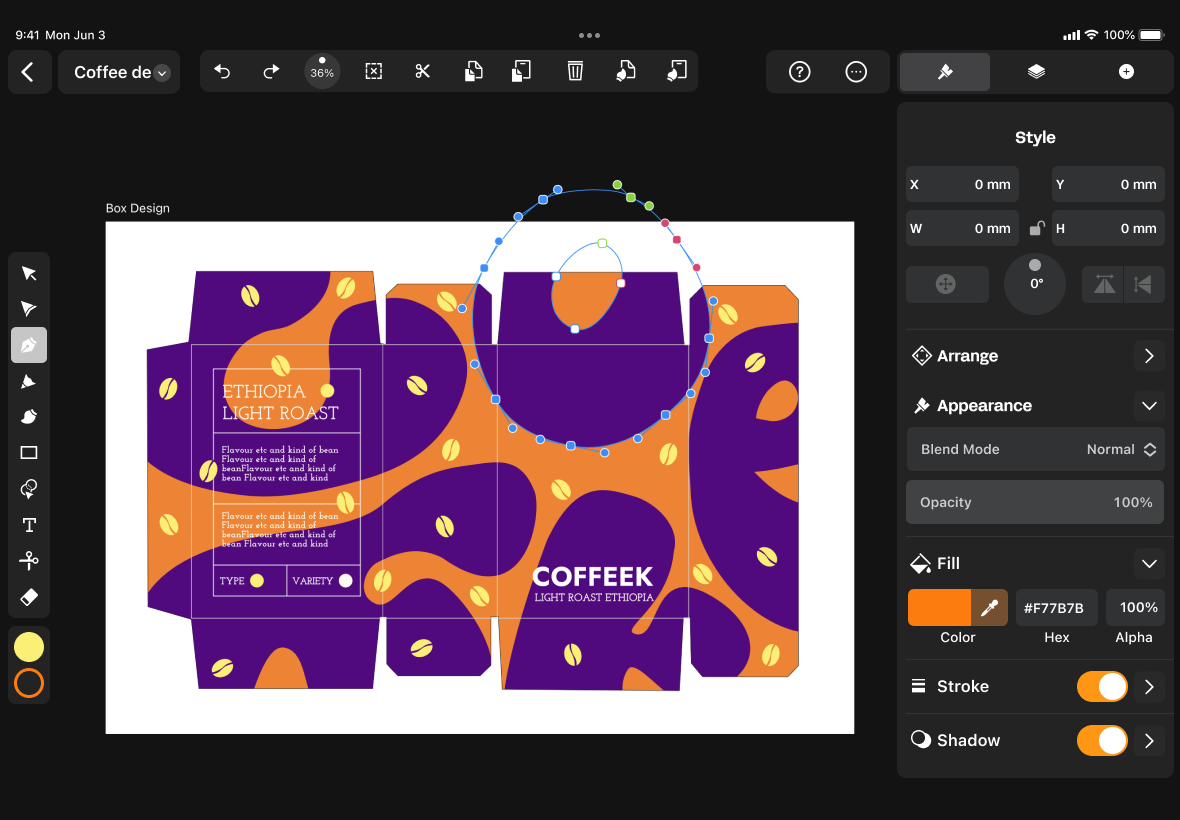
A match made in heaven
We believe in an efficient workflow, so we built Linearity Curve to work with and support other softwares.
With our cutting-edge technology, you can easily transform your raster artworks created on Procreate into sleek and professional vector designs, without compromising on quality. This means that you can have the best of both worlds: the flexibility and creativity of raster art, combined with the scalability and versatility of vector graphics.
Features | Procreate | |
|---|---|---|
Pen Tool | ||
Cloud storage | ||
Animation integration | ||
Templates | ||
Auto Trace | ||
Background Removal | ||
AI Backgrounds | ||
3m+ free images | ||
80k+ free icons |
Design 30% faster
with features like our Quick Actions bar, Background Removal, and templates.
Optimize with AI-powered tools
like Auto Trace, Background Removal, Magic Eraser and Superresolution
All the tools you need in the palm of your hand

Design without limits

The Procreate + Linearity Curve workflow

Your colors, your way
Importing your Procreate files into Linearity Curve is a breeze. With just a few taps, you can easily continue refining your designs in a more versatile environment.
You can also import your color palettes from Procreate and other apps with ease by simply dragging and dropping them using iPad gestures or Split View mode .

Endless third-party importing options
Linearity Curve (formerly Vectornator) supports not only Procreate files but also many others, including Figma, Illustrator, and Sketch.
With Linearity Curve, you can also keep on editing files on other programs. We strive to make your work as easy as it gets.


Linearity Curve features at a glance
Linearity powerful suite of tools is ideal for designers of all levels.
AI Backgrounds
Integrate custom, AI-generated backgrounds into your existing photos.
Background Removal
Remove photo backgrounds with the tap of a button.
Pen Tool
Define precise vector points and create custom paths with Bèzier curves.
Brush Tool
Freely draw editable vector paths.
Shape Builder
Quickly sculpt complex designs from multiple shapes
Auto Trace
Instantly turn your raster images into vectors

Sketch
Illustration
Photography
Sketch Mode
Don’t know which Auto Trace mode to choose? Linearity Curve will do it for you. With our CoreML Machine Learning model, Linearity Curve’s Auto Trace feature will analyze your images and automatically select the “Sketch” mode. Sketch mode scans your drawings on paper and turns your pen and pencil lines into editable vector paths. This mode works particularly well with hand-drawn lettering and logos.


Frequently Asked Questions
Procreate supports all digital images, such as .PNG, .BMP, .JPG, .PSD, and .TIFF.
Yes, there are.
Paint Tool SAI, Krita, Artrage, ibis Paint X, Infinite Painter, Autodesk Sketchbook, Tayasui Sketches, and ArtFlow.
These digital art programs are available on Microsoft Windows, Linux, or Android.
There are many great alternatives to Procreate. Below are our top choices, divided into two groups: pixel and vector-based programs. Pixel-based drawing tools are much more common. Here are a few that we recommend:
MediBang Paint, ArtRage, Paint Tool SAI, Infinite Painter, Sketchbook, Tayasui Sketches, Clip Studio Paint, and ArtFlow.
For an alternative vector-based program, we believe Linearity Curve (formerly Vectornator) is one of the best on the market.
Currently, only iPad users can enjoy Procreate. It is not available on other iOS devices, such as iPhones or macOS. However, Linearity Curve is free to download and use on any iOS-supported device.


:quality(75))
:quality(75))